
Create: Difference between revisions
Initial version. |
mNo edit summary Tags: Reverted Visual edit |
||
| Line 1: | Line 1: | ||
The create screen was updated for all users as of October 21, 2026. The new Create screen presents a more compact view, but includes all the previous functionality.<gallery mode=" | The create screen was updated for all users as of October 21, 2026. The new Create screen presents a more compact view, but includes all the previous functionality.<gallery mode="packed"> | ||
File:New create nbr.png|The new Create screen: 1. Prompt window 2. Component list 3. Add button 4. Plan button 5. Create Story button 6. Custom ideas | File:New create nbr.png|The new Create screen: 1. Prompt window 2. Component list 3. Add button 4. Plan button 5. Create Story button 6. Custom ideas | ||
File:Add menu.png|Add menu | File:Add menu.png|Add menu | ||
Revision as of 19:14, 17 October 2026
The create screen was updated for all users as of October 21, 2026. The new Create screen presents a more compact view, but includes all the previous functionality.
-
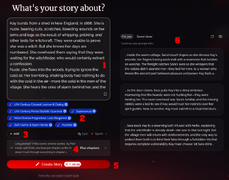 The new Create screen: 1. Prompt window 2. Component list 3. Add button 4. Plan button 5. Create Story button 6. Custom ideas
 -
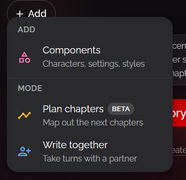 Add menu
 -
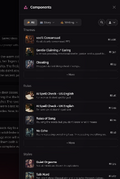 Add Component Sidebar
 -
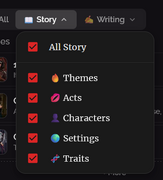 Component Sidebar Story menu
 -
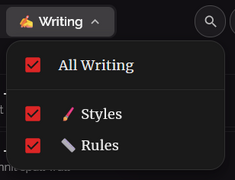 Component Sidebar Writing menu
 -
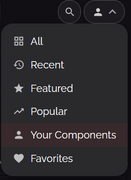 Component Sidebar component source menu


